 FLOWPHONIC
Offline transcription on Android
"Is it offline?" is a fair question when you're recording something private. The honest answer depends on your phone, so here's the full picture.
On Android 13+ with a language model installed, live transcription runs on your phone. Otherwise it can use your phone's online speech service.
When it runs on your phone
Live transcription runs on-device when your phone is on Android 13 or newer, you've installed a language model, and the On-device speech engine setting is on (it is by default).
When it doesn't
If those aren't true, live transcription can use your phone's online speech service, which is usually Google's. We say this clearly because it matters: that's the one case where speech can leave your phone. Everything else about the app is local. There's no account and no cloud backup.
Transcribing a saved take
A recording you've already saved can only be transcribed on-device. That needs Android 13 or newer and the language model.
Fixing the text
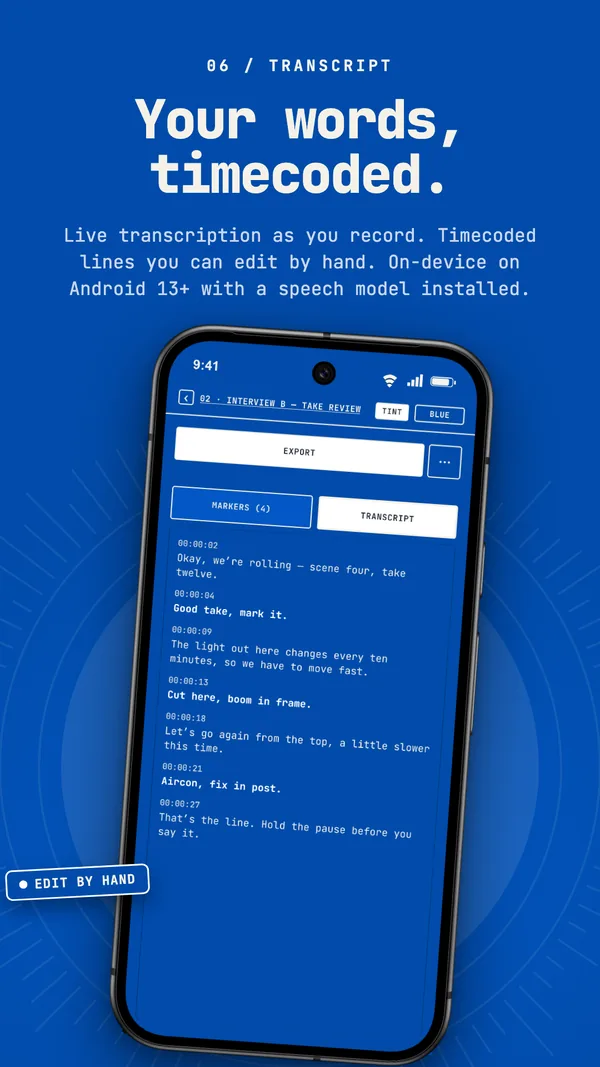
Speech recognition gets things wrong, especially names. Tap any transcript line to edit it, and search the transcript to jump to a spot in the take.
Voice markers need it
Voice markers read the live transcript, so they only work while it's running, and they listen for English. See recording interviews for how that plays out.
Quick answers
Is Flowphonic transcription offline?
It can be. On Android 13 or newer with a language model installed and the on-device setting on, it runs on your phone. Otherwise live transcription can use your phone's online speech service.
Can I transcribe a saved recording?
Yes, on-device only, which needs Android 13 or newer and the language model.